PostgreSQL
PostgreSQL is A open source object-relational database system, used for Relational Databases . PostgreSQL is a powerful,open source object-relational database system(ORDBMS).
Prepare
When referring to this document to use PostgreSQL, please read and ensure the following points:
-
Login to Websoft9 Console and find or install PostgreSQL:
- Go to My Apps listing applications
- Go to App Store installing target application
-
This application is installed by Websoft9 console.
-
The purpose of this application complies with the PostgreSQL open source license agreement.
-
Configure the domain name or server security group opens external network ports for application access.
Getting Started
Initial Setup
-
After completing the installation of PostgreSQL via the Websoft9 Console, retrieve the application's Overview and Access information from My Apps.
-
Enter the command mode of the PostgreSQL container and use psql to connect to the database:
# Test host-based access (password required)
$ psql -h postgres -U postgres
Password for user postgres.
psql (15.6 (Debian 15.6-1.pgdg120+2))
Type "help" for help.

postgres=#

# Test local access (no password required)
$ psql -d postgres -U postgres
Common SQL Statements
# Change password
ALTER USER postgres WITH PASSWORD 'postgres';
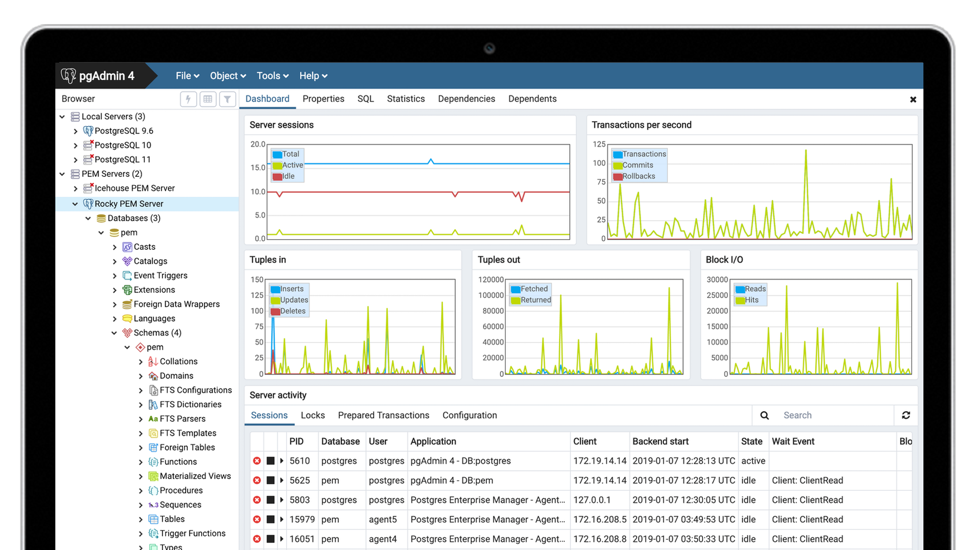
Graphical Tools
Reference: pgAdmin
Remote Access
Port Mapping Access
The PostgreSQL application is mapped to the host extranet port by default, so you just need to ensure that the security group is configured for the correct port.
Forwarding Bridge Access
If the PostgreSQL container port is not mapped to the host, it can be accessed through the Websoft9 gateway Streams forwarding mode bridge. You need to ensure the following:
- The
postgresql.confconfiguration entrylisten_addresses = '*'. - The
pg_hba.confconfigurationhost all all 0.0.0.0/0 md5.
Configuration Options
- Default user: PostgreSQL does not have a regular administrator account, but Websoft9 sets
postgresas the default account name. - Clients: psql, clusterdb, pgAdmin, etc.
- Server: initdb, pg_ctl, postgres, postmaster, pg_upgrade, etc.
- Four Types of Connection: local, host, hostssl, hostnossl.
- Authentication Methods: reject, md5, password, trust, peer, scram-sha-256.
- Configuration files (mounted):
/var/lib/postgresql/data/postgresql.conf/var/lib/postgresql/data/pg_hba.conf
- Command line:
psql - API
Administration
- Reset Password: In container command mode, use
psql -d postgres -U postgresto log in without verification, and then run the SQL statement to change the password.